Website Redesign: 5 Signs It's Time for a Change
Published on January 30, 2026
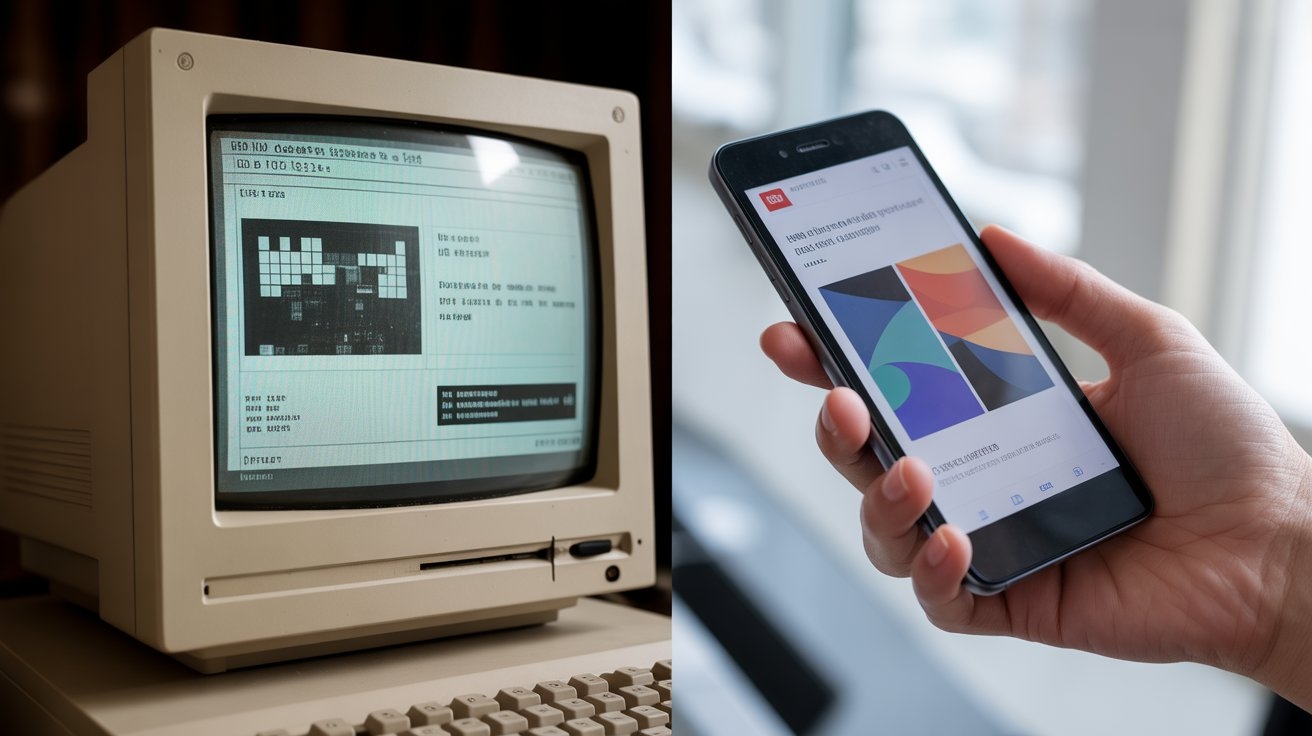
Did you know that 94% of a user's first impressions are design-related? That is an unforgiving statistic. If your website looks like it came straight out of 2010, you are likely losing potential customers before they’ve read a single line of your content.
In today's digital world, your website is your hardest-working salesperson: it operates 24/7. But is it still performing? A website redesign isn't just about aesthetics; it is a strategic lever for business growth.
In this article, we will analyze the red flags indicating that an overhaul is necessary. We will look at how to transform your current site into a conversion machine while avoiding the classic pitfalls of the redesign process.
TOPIC OVERVIEW: WHY REDESIGNING IS CRITICAL
Before diving into the warning signs, let’s clearly define what we are talking about. A website redesign involves significant changes to your current site's code, content, structure, and visuals.
Unlike a simple "refresh" (which might just tweak colors or a logo), a redesign attacks the foundation to improve overall performance.
Why is it so important today?
The internet evolves at breakneck speed. Yesterday's standards are today's errors.
- User Experience (UX) is King: Google now prioritizes sites that offer smooth and intuitive navigation (via Core Web Vitals).
- Mobile Evolution: With over 60% of global traffic coming from mobile devices, a site that isn't optimized is invisible.
- Credibility: 75% of consumers judge a company's credibility based on its website design.
A well-executed redesign aligns your online presence with your current business goals. It’s not an expense; it’s an investment.
THE 5 UNDENIABLE SIGNS (KEY STRATEGIES)
If you recognize your site in any of the following points, it's time to act. Here are the 5 major signs, accompanied by concrete strategies to fix them.
1. Your Site is Not "Mobile-Friendly" (Responsive)
This is the most urgent sign. If your visitors have to pinch and zoom to read your text on a smartphone, you have a critical problem. Google uses "Mobile-First" indexing, meaning it judges your site primarily on its mobile version.
- The Problem: Rigid design that breaks the experience on small screens.
- The Strategy: Adopt Responsive Web Design. Your site must automatically adapt to the screen size (smartphone, tablet, desktop).
- Practical Tip: Test your site with Google's free "Mobile-Friendly Test" tool. If the result is red, a website redesign is mandatory.
2. Your Site is Slow to Load
Internet users have zero patience. If your page takes more than 3 seconds to load, 40% of visitors will leave. Speed is a direct SEO ranking factor.
- The Problem: Outdated code, heavy images, or poor-quality hosting.
- The Strategy: Web Performance Optimization (WPO). During the redesign, prioritize clean code (HTML5/CSS3) and modern image formats (WebP).
- Practical Tip: Aim for a performance score above 90 on Google PageSpeed Insights.
3. High Bounce Rate and Dropping Conversions
Visitors arrive but leave immediately? That’s your bounce rate. If your metrics are stagnating or dropping, your site is no longer meeting user expectations or guiding them correctly.
- The Problem: Confusing navigation, hard-to-find Calls to Action (CTAs), or unclear value proposition.
- The Strategy: Rethink the site structure and User Journey.
- Practical Tip:
- Simplify the main menu (max 7 items).
- Use action verbs for your buttons (e.g., "Get My Quote" instead of "Submit").
4. Your Brand Has Evolved, But Your Site Hasn't
Your business has grown. You offer new services, you target higher-end clients, but your site still reflects your early days? This disconnect creates distrust.
- The Problem: Inconsistency between your sales pitch and your digital storefront.
- The Strategy: Digital Rebranding. Align colors, editorial tone, and visuals with your current identity.
- Practical Tip: Look at the websites of your top three competitors. If theirs look modern and yours looks "vintage," a redesign is necessary to remain competitive.
5. You Can't Update Content Yourself
If you have to call a developer and pay an invoice every time you want to change a sentence or add a photo, your site is a bottleneck to your growth.
- The Problem: An obsolete, proprietary, or overly complex CMS (Content Management System).
- The Strategy: Migrate to a modern, flexible CMS like WordPress, Webflow, or Shopify.
- Practical Tip: Demand training upon delivery of the new site so you can be autonomous in daily management (blogging, text edits).
COMMON MISTAKES TO AVOID
Launching a website redesign without a plan can be catastrophic, especially for your organic search ranking (SEO). Here are the mistakes you must avoid.
Forgetting 301 Redirects (The SEO Killer)
This is error number one. If you change your page URLs without telling Google where the new content is, you will lose all your traffic and SEO history overnight.
- To Do: Map every old URL to the corresponding new one via a 301 redirection.
Prioritizing Beauty Over Utility
A stunning site that doesn't convert is a work of art, not a business tool.
- Not To Do: Using heavy background videos that slow everything down, or "creative" menus that no one understands.
Summary Table: Best Practices
| Aspect | DO'S ✅ | DON'TS ❌ |
|---|---|---|
| SEO | Audit existing content and keep what performs well. | Delete popular pages without redirecting them. |
| Design | Design for the user (Mobile First). | Design to please the CEO (Personal tastes). |
| Content | Write for the web (short paragraphs, headings). | Copy-paste your PDF brochures onto the site. |
| Launch | Test on multiple browsers and devices. | Launch on a Friday evening without verification. |
RECOMMENDED TOOLS AND RESOURCES
To succeed in your redesign project, here is a selection of essential tools, from diagnosis to design.
1. Google Analytics 4 (GA4) & Search Console (Free)
Why? To understand what is currently working. Features: Allows you to identify your most visited pages (to protect at all costs) and those with high bounce rates (to overhaul).
2. Hotjar (Freemium)
Why? To see how users navigate. Features: Offers "heatmaps" that show where people click and how far they scroll. Indispensable for UX.
3. WordPress (Free - Open Source)
Why? The most popular CMS for content management. Features: Total flexibility, huge library of SEO plugins (like Yoast or RankMath), and easy for non-techies to learn.
4. Figma (Freemium)
Why? For design prototyping. Features: Allows you to create mockups of your new site and collaborate in real-time before writing a single line of code.
CASE STUDY: "ECO-HOME SOLUTIONS"
Note: This is an illustrative example based on real redesign scenarios.
The Client: Eco-Home Solutions, an energy renovation company. The Problem: A 7-year-old site, not secure (no HTTPS), not mobile-friendly. Traffic was stable, but quote requests (conversions) were almost nil (0.5%).
The Intervention:
- SEO Audit: Identification of keywords like "thermal renovation" where the site ranked well.
- UX Design: Creation of simplified quote forms visible on mobile.
- Technical: Migration to WordPress with a lightweight theme.
The Results (after 3 months):
- Mobile Traffic: +45% increase.
- Conversion Rate: Jumped from 0.5% to 2.8%.
- Load Speed: Reduced from 6 seconds to 1.8 seconds.
The redesign paid for itself in less than 4 months thanks to the increase in qualified leads.
CONCLUSION
A website redesign is much more than a fresh coat of digital paint. It is a necessary surgical operation to adapt your business to current market realities. If you recognized your site in the signs mentioned above—slowness, mobile incompatibility, or difficulty in management—do not wait for your competitors to take your spot.
A modern site strengthens your credibility, improves your visibility on Google, and, most importantly, transforms visitors into loyal customers.
Your Next Step: Don't jump in blind. Start with an audit of your current site. Open your website on your phone right now: if you are frustrated by the navigation, your customers are too. That is your starting signal.
FAQ
How much does a website redesign cost?
Budgets vary wildly depending on complexity. A simple brochure site on WordPress can cost between $1,500 and $5,000, while a complex e-commerce or custom site can range from $10,000 to over $50,000.
How long does a redesign take?
On average, expect between 2 to 4 months for a standard professional site. This includes the audit phase, design (mockups), development, content writing, and testing.
Will I lose my current SEO ranking?
This is the biggest risk, but it is avoidable. If you work with SEO experts who correctly manage 301 redirects and content structure, you can not only maintain your positions but often improve them after launch.
How often should I redesign my website?
The average lifespan of a website is 3 to 5 years. However, minor adjustments and optimizations should be done continuously (monthly or quarterly).

Comments
Be the first to comment on this article.
Leave a Comment